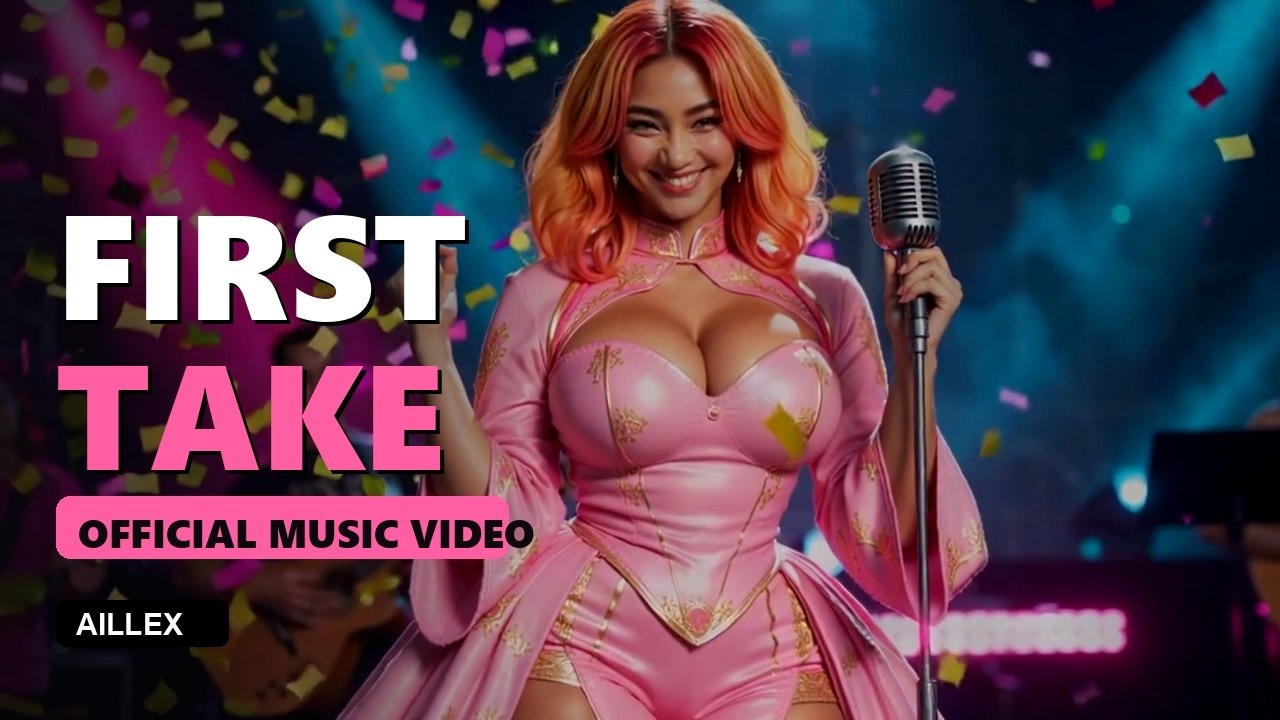
The result: FIRST TAKE, her debut single, produced with exactly this pipeline.
We gave our AI presenter a debut single, then shot her a music video overnight: 18 shots across a story arc, five sections where she sings it, lyric captions, one GPU, zero cloud cost. This is the full pipeline, including the parts that failed first.
1. The song
Generate with Suno (that’s our referral; Pro tier for commercial rights). Prompting rules that took us three bad tracks to learn:
- Name emotion + instruments, never just “epic” (text-to-music defaults to pleasant, you’ll get a Christmas movie)
- “instrumental, no vocals” must be explicit when you mean it
- Breathy? You probably wrote “dreamy airy.” Want brightness: “bright clear vocal, higher register, a smile in her voice”
- Generate 2 to 3, pick by ear. Ears are the only QC that works on audio.
- No spaces in downloaded filenames, more tools than you’d expect choke on them.
2. Map the song before you shoot
Run word-level transcription (faster-whisper) on the track. The word timestamps give you section anchors: where verses, choruses, and the bridge actually land, and your shot list snaps to them. Our 2:15 track broke into 18 shots: intro world-building, sung sections in 4 “performance” settings, action beats for the choruses, a joke for verse two, a quiet ending.
3. Storyboard plates (the character-consistency part)
One still per shot, batch of 4 takes each, identity LoRA stack on every single frame, see the character LoRA guide for why you never skip it. Hard-won plate rules for music videos specifically:
- Describe the full outfit in every prompt, video models animate whatever the still implies, and motion amplifies exposure (“dress for the animation, not the still”)
- Mirror scenes multiply everything, if a set has mirrors, write “every reflection fully clothed” or regret it
- At non-portrait distance, soft facial features need stating: we add “soft rounded features, gentle jawline” positively and “strong jaw, angular chin” to negatives
- Negative the garment, not the body (“deep neckline”, not anatomy terms, negating anatomy deflates the character’s actual proportions)
4. Animate: one beat per clip
Each plate becomes a 4 to 8 second clip (we use LTX-Video locally, no per-clip cost, no moderation lottery). The cardinal rule from our directing article: one action per clip, natural speed. “She dances joyfully, papers float” works. “She stands, turns, grabs, and is lifted” produces limb soup.
For the sections she sings: render the setting as a calm idle: lips gently closed, occasional blink, minimal head movement, no visible breathing motion (a breathing loop reads as sighing when cycled). Then MuseTalk repaints her mouth to the actual vocal stems. Idle source + sung audio = a performance; a talking source leaks jaw movement through every musical rest.
5. Assembly
One script: normalize clips, cut on the lyric anchors, karaoke captions from the whisper timestamps, audio underneath. (If you’d rather cut on a visual timeline than in a script, Filmora (referral link, supports the channel at no extra cost) handles beat-cutting and captions fine, same moves, done by hand.) Two traps we hit so you don’t:
- If a segment needs more duration than its source clip, don’t loop-wrap (visible snap right before the cut), fill with a pingpong (forward-then-reversed) instead
- Watch your seams at 1× speed before publishing; strip QC (tiled frames) catches composition but only playback catches rhythm
The receipt
16 renders overnight (~3 hours GPU), 5 lip-sync passes (under 35 seconds each), assembly in minutes. Cloud cost: $0. The result is on the channel, judge it yourself, first takes and all.
There is another way to make a music video that skips video models entirely: have an AI write a program that draws every frame. We tried it with Claude and with a free local agent: How to Make a Music Video with Claude Code (and a Free Local AI).
Our latest music video went the other way: real stock footage, with me swapped into 42 clips of other people’s kitchens and birthdays. How to Put an AI Character Into Real Stock Footage on One RTX 5090.