
Everyone reaches for a mask first. Our own test says you often shouldn’t, and knowing when is the difference between a clean edit and a visible seam.
The counterintuitive result
We ran the same recolour twice on the same source: once as a plain instruction, once with a hand-painted mask over exactly the region we wanted changed.
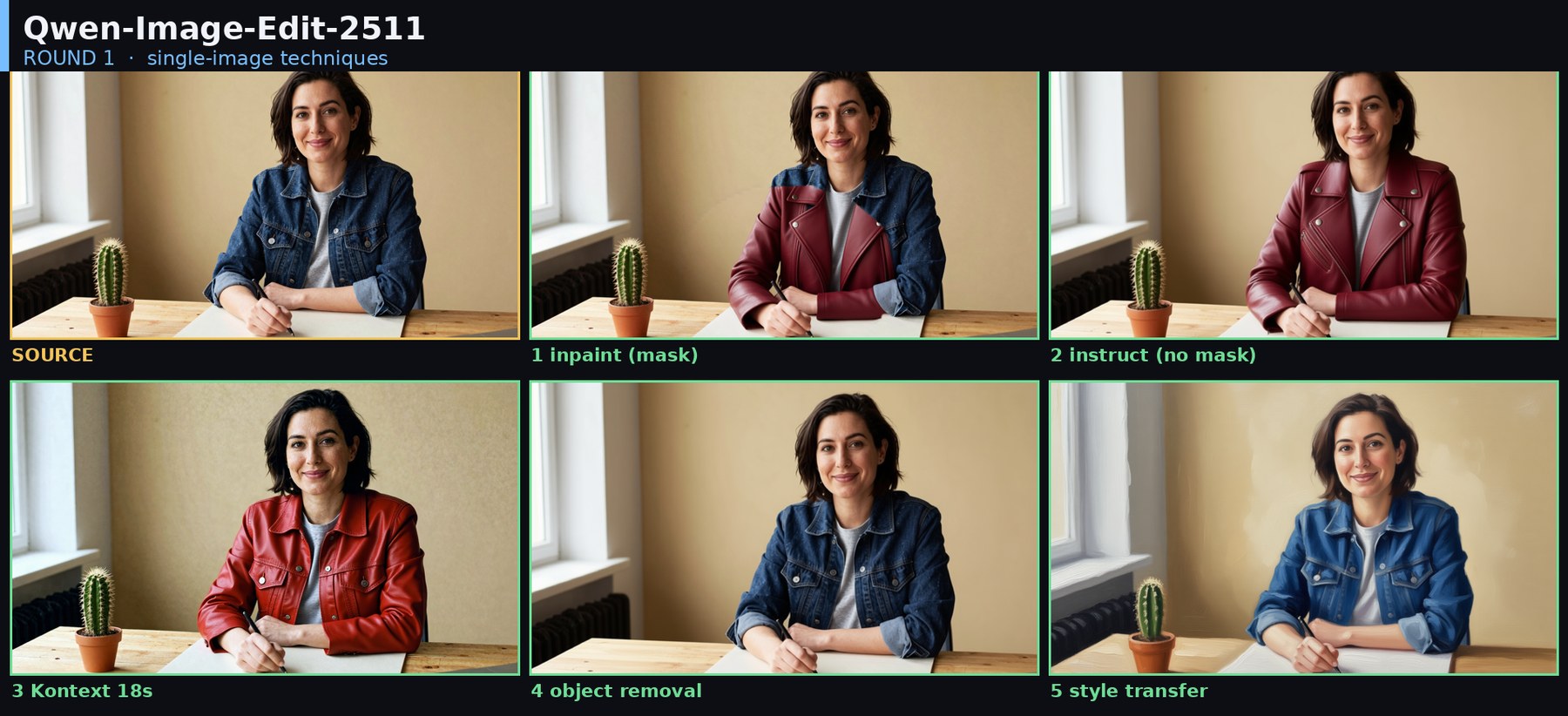
The no-mask instruction won. The masked version left a visible seam where the mask ended, because it converted only the pixels we painted and had no licence to blend outside them.
The lesson is sharper than “use inpainting”:
A mask buys you precision and costs you everything outside it.
Use a mask when the edit must be surgical: changing one eye colour, fixing one object in a busy frame, protecting a face you cannot afford to have redrawn. Use a plain instruction when you want a whole thing changed and you’d like the model to handle the blending.
Building the masked version
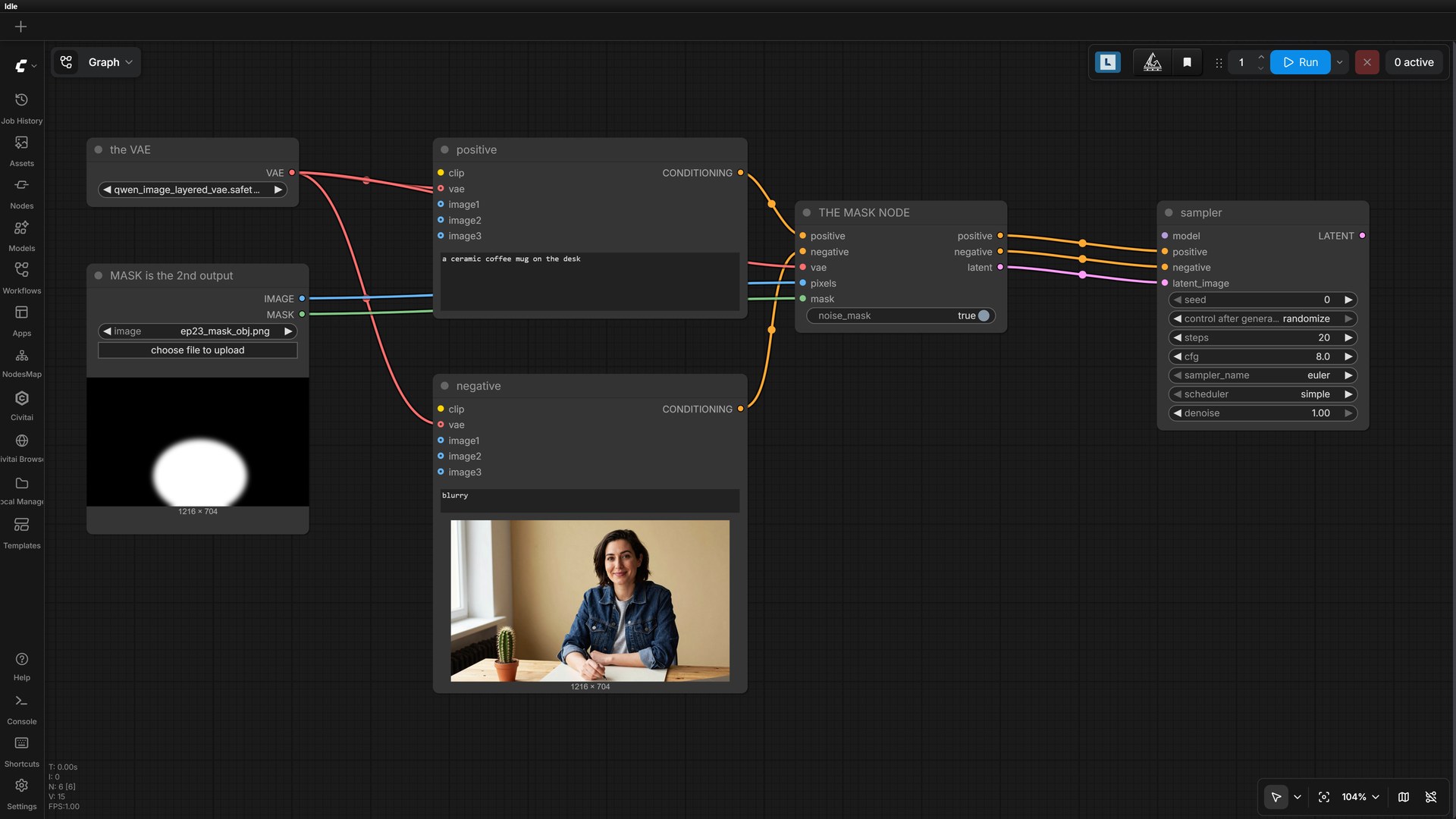
Two things change from the base graph. First, LoadImage has a second output, MASK, that most
people never notice. Right-click your image node and choose Open in MaskEditor to paint one.
Second, the conditioning no longer goes straight to the sampler:
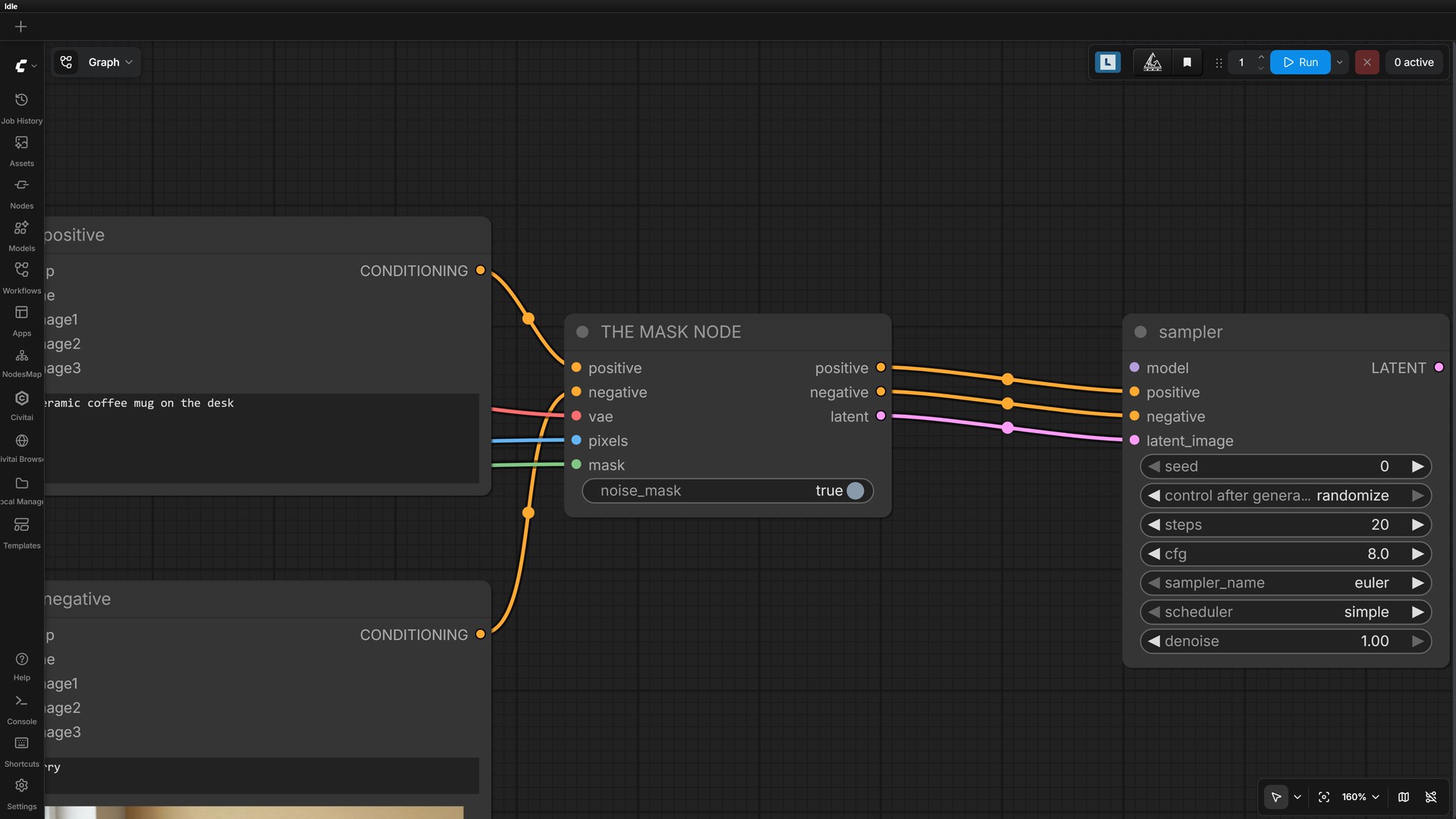
InpaintModelConditioning takes your positive, negative, VAE, pixels and mask, and emits all three
things the sampler needs: positive, negative, and the latent. It replaces the separate VAEEncode.
| Input | Wire it to |
|---|---|
positive / negative | your two text encoders |
vae | VAELoader |
pixels | LoadImage output 0 (IMAGE) |
mask | LoadImage output 1 (MASK) |
noise_mask | leave true |
Measured: 51 seconds, slightly faster than the no-mask version, because the model has less area to reconsider.
Feather your mask
A hard-edged mask is what produces the seam we saw. Paint slightly wider than the object and let
grow_mask_by (on VAEEncodeForInpaint) or a feathered brush soften the boundary.
The settings, and what each one actually does
Four numbers in the KSampler carry an edit. These are the values we ran for every result below.
| Field | Value | Why |
|---|---|---|
steps | 20 | Below about 12 it stops respecting the instruction properly. |
cfg | 2.5 | The one people get wrong. On an edit model, high CFG doesn’t mean “obey me more”, it means “destroy the original.” Stay between 2 and 3. |
sampler_name | euler | Boring and reliable. |
scheduler | simple | Same. |
denoise | 1.0 | Surprising, but correct here: the encoder holds your original, not the noise level. |
seed | change it | When an edit half-works, same prompt + new seed is free. |