
The same node that edits one image will fuse three. This is the workhorse for putting a character into a scene, a product into a shot, or two people into one photo they were never in together.
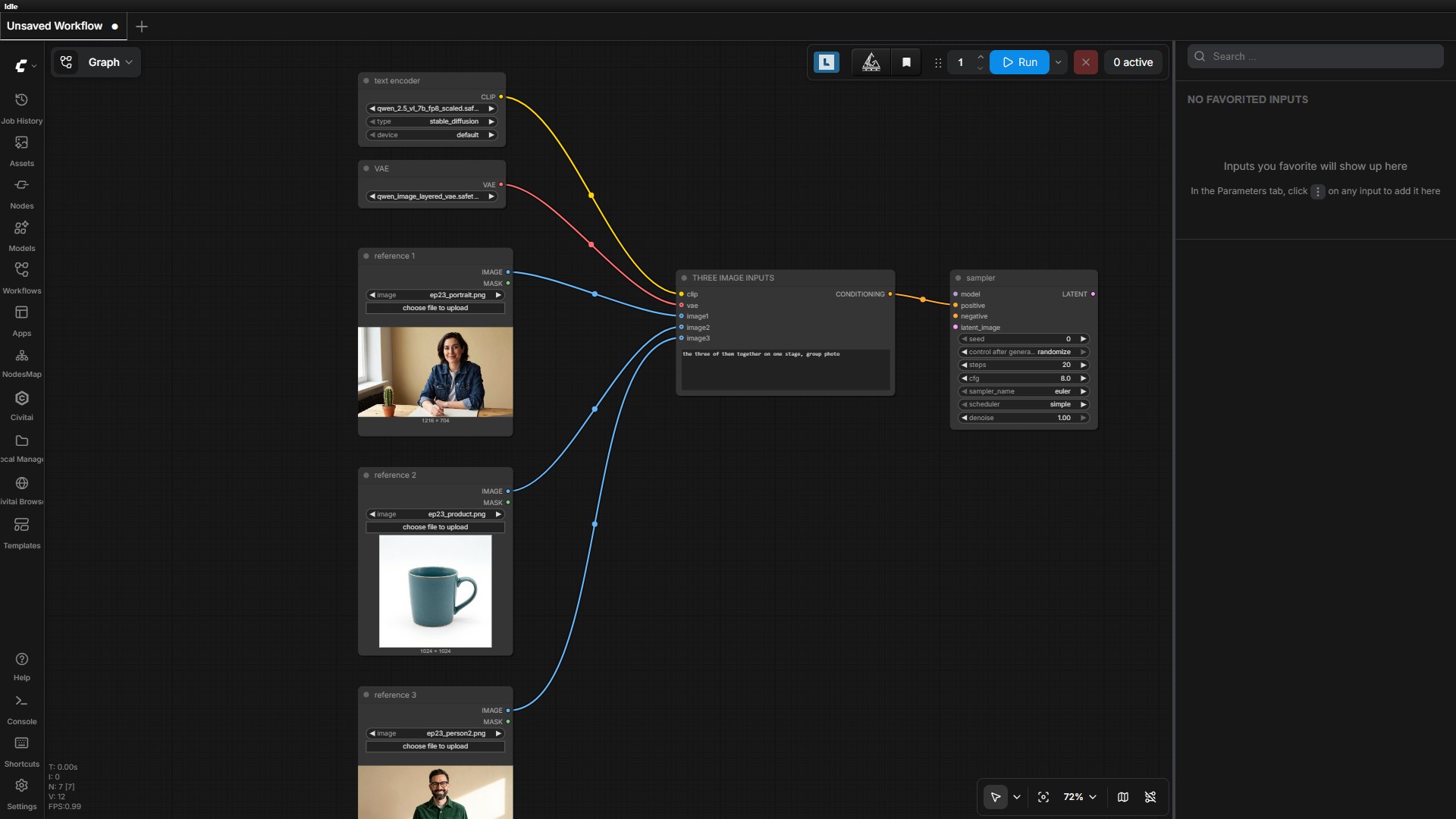
Three inputs, one node
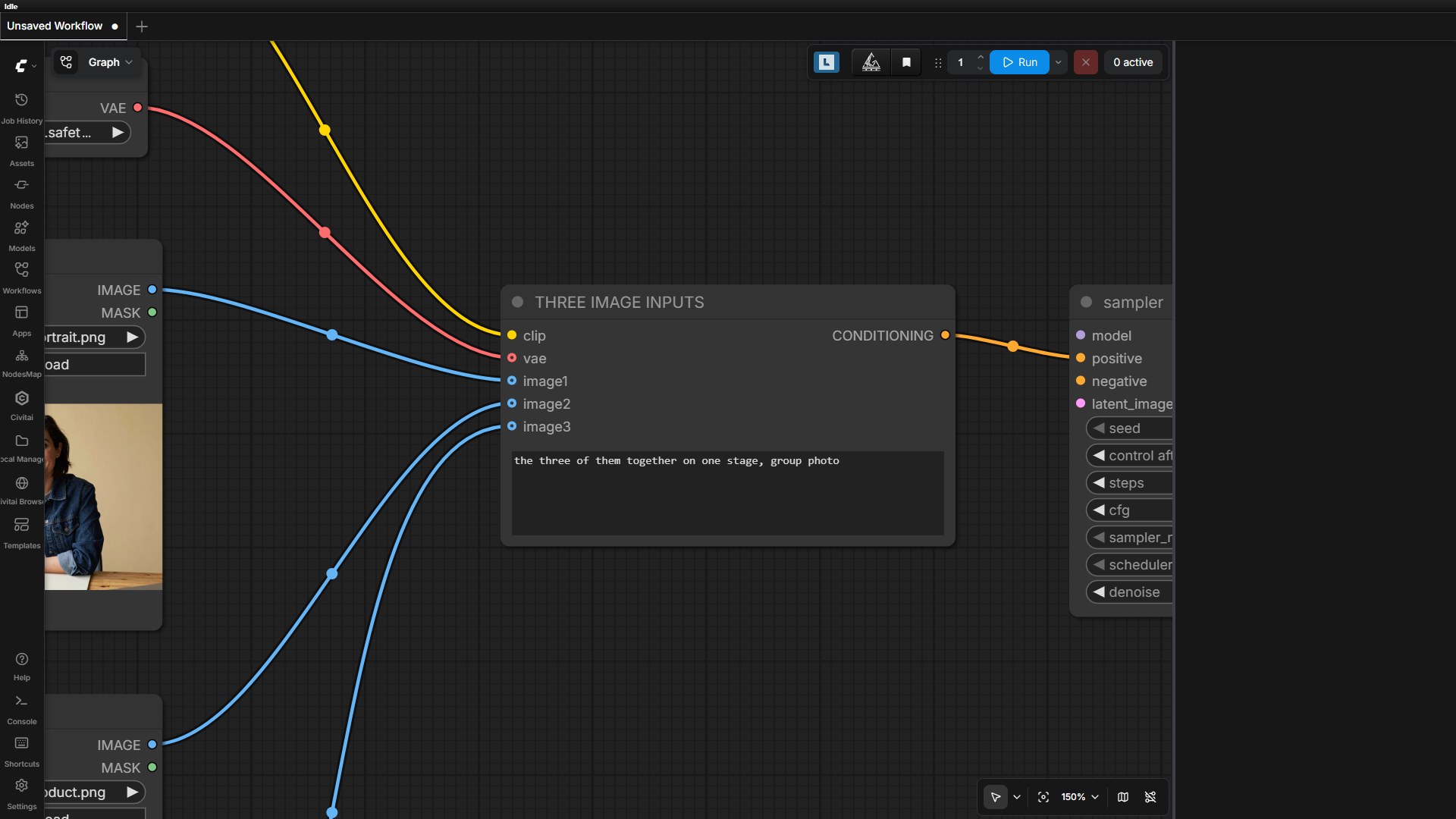
TextEncodeQwenImageEditPlus exposes image1, image2 and image3. Three is the maximum the encoder
accepts. Wire one LoadImage to each and describe the result you want:
the three of them together on one stage, group photo
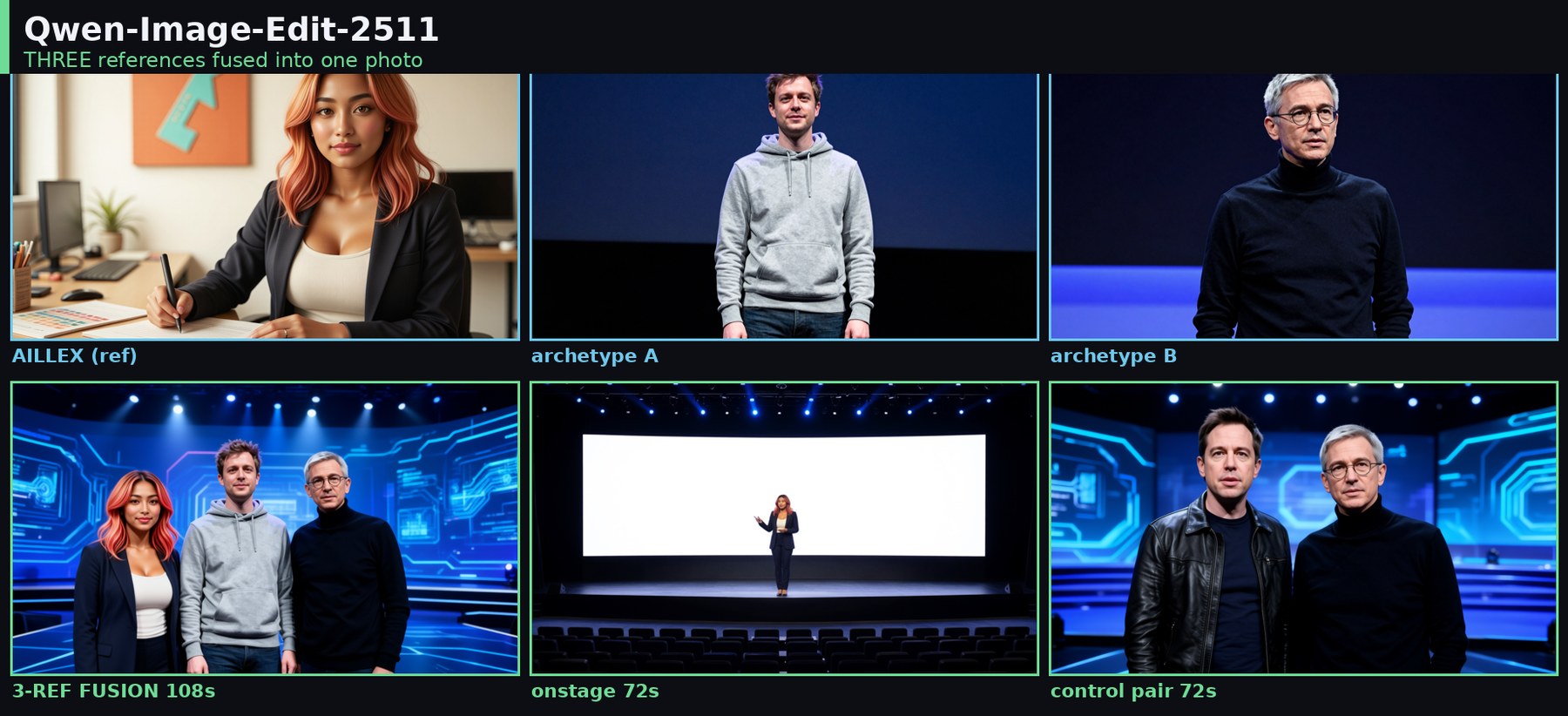
All three faces carried over recognisably. We ran a control pair without our character to confirm it wasn’t a fluke.
| Job | References | Measured |
|---|---|---|
| Person + product | 2 | 75s |
| Person + scene | 2 | 75s |
| Person + person | 2 | 75s |
| Three-way fusion | 3 | 108s |
The framing trap
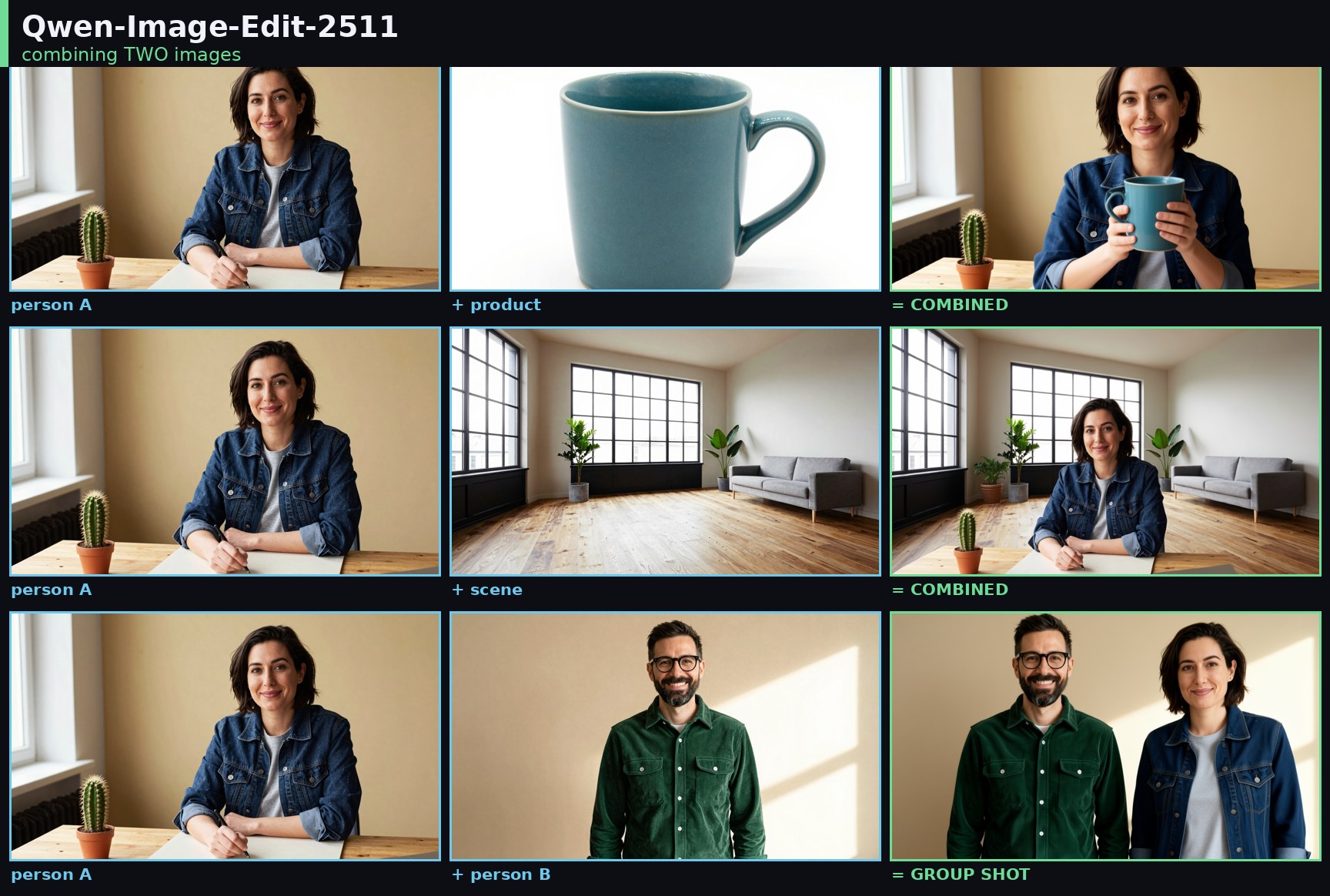
Drop a person into a wide empty stage and you get a wide shot with a small person. Technically correct perspective; probably not the portrait you wanted. The scene reference brings its own framing with it.
Fix: say so in the prompt. close-up portrait, chest up overrides the scene’s natural scale.
Order matters
image1 is treated as the primary subject. If identity preservation matters more than the setting, put
your character on image1 and the scene on image2.
The settings, and what each one actually does
Four numbers in the KSampler carry an edit. These are the values we ran for every result below.
| Field | Value | Why |
|---|---|---|
steps | 20 | Below about 12 it stops respecting the instruction properly. |
cfg | 2.5 | The one people get wrong. On an edit model, high CFG doesn’t mean “obey me more”, it means “destroy the original.” Stay between 2 and 3. |
sampler_name | euler | Boring and reliable. |
scheduler | simple | Same. |
denoise | 1.0 | Surprising, but correct here: the encoder holds your original, not the noise level. |
seed | change it | When an edit half-works, same prompt + new seed is free. |