
The companion episode: Aillex gets eyes, watches a live street feed, and gets gloriously fooled by a Denny’s ad.
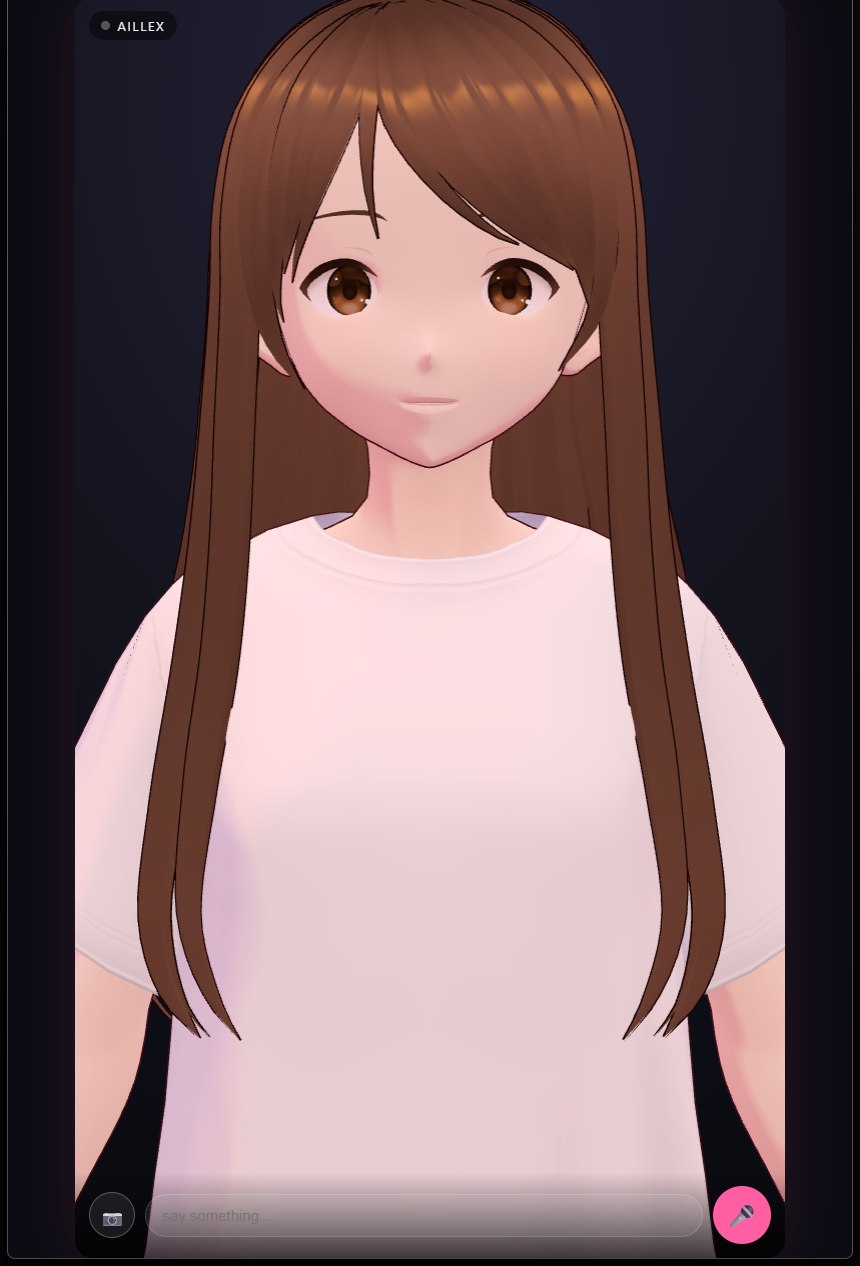 Our face page: the camera button (bottom left) attaches a frame to whatever you say next.
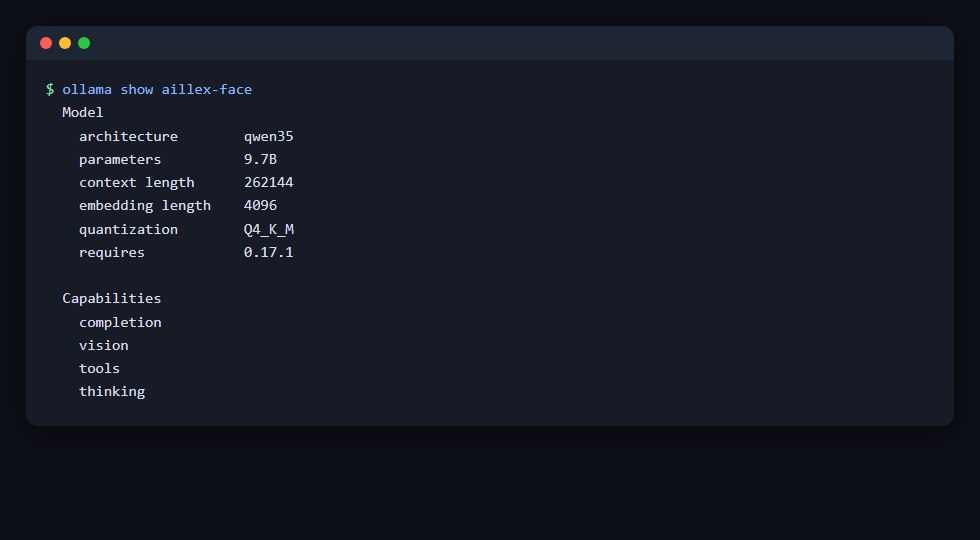 The 10-second check:
 vision under Capabilities means your model already sees.
Here’s the discovery that reshaped our assistant project: we never built vision. We went to wire it up and found it already there, the same local model that had been chatting with us for weeks could see the screen the whole time. If you’re running a recent multimodal model behind Ollama, there’s a good chance you’re one image away from an AI that can look at your error message, your photo, or you.
All of it local. The screenshots of your bank tab, your kid’s homework, your unreleased project, none of it leaves the machine. That’s the entire point.
First: check whether your model already sees
ollama show <your-model>
Look for vision under Capabilities. Many current local families ship multimodal by default, in our stack, three different resident models turned out to have eyes (a 26B, a 27B, and even a 9B we use when VRAM is tight). If yours doesn’t, pull one that does and check again; the brain guide covers sizing by VRAM.
The 60-second proof, straight from the terminal:
ollama run <your-model> "What's in this image?" ./screenshot.png
If it describes the image, you have a seeing AI. Everything below is just plumbing.
Pattern 1: “What am I looking at?”, the on-demand screenshot
The workhorse. Capture the screen, send it with a question, get an answer: no new service, no new model, no extra VRAM if it’s the same brain you already keep loaded.
import base64, io, requests
from PIL import ImageGrab  # pip install pillow

shot = ImageGrab.grab()                      # full screen
shot.thumbnail((1280, 1280))                 # smaller = faster (see gotcha 2)
buf = io.BytesIO(); shot.save(buf, "PNG")
b64 = base64.b64encode(buf.getvalue()).decode()

r = requests.post("http://localhost:11434/api/chat", json={
    "model": "<your-model>",
    "think": False,                          # see gotcha 1
    "stream": False,
    "messages": [{
        "role": "user",
        "content": "Describe what's on this screen. If there's an error message, read it out exactly.",
        "images": [b64],
    }],
})
print(r.json()["message"]["content"])
Bind that to a hotkey and you have “hey, what’s this error?” for everything you do. The same call shape works through Ollama’s OpenAI-compatible /v1/chat/completions endpoint with standard image_url content parts, which means any OpenAI-style tool gains local vision for free.
The rule we learned the hard way: look on demand, never on a timer. A periodic screenshot loop sounds like ambient awareness; in practice it’s constant GPU contention with everything else on the card, for frames nobody asked about. Trigger a look from a hotkey, a spoken phrase, or an explicit button. Your GPU, and your response latency, will thank you.
Pattern 2: eyes for a brain that can’t see
Sometimes your best conversational model is text-only, or lives behind an agent framework that doesn’t pass images. The fix is a two-model relay: a vision-capable model describes, and the description is injected into the conversation as text.
[Screen you are currently looking at: a code editor with a Python traceback,
 ValueError on line 42 of pipeline.py, three browser tabs about ffmpeg flags...]
User's actual message follows.
We ran our agent’s vision this way for weeks, trigger word in the voice loop fires a screenshot, the vision model produces a tight description, the text goes into the agent’s context wrapped in a clearly-labeled bracket. The agent answers as if it saw. Nobody can tell the difference in conversation, and the text-only brain keeps its tools, memory, and personality untouched.
Two details that matter: label the injection explicitly (the bracket above) so the model treats it as its own perception rather than something the user typed, and keep descriptions short, a paragraph, not an essay, or you’re paying context and latency for scenery.
Pattern 3: live companion vision
The showpiece. Our AI companion takes camera frames and screen shares in the middle of a voice conversation: “can you see me?”, “look at my screen, what do you think?”, and answers in character, in her own voice. When we asked ours what she thought she should look like, she proposed a circuit board with fiber-optic hair.
The plumbing is Pattern 1 wearing a headset: the conversation loop attaches the current frame to the message, the multimodal brain does the rest. If you’re building on an open companion framework (we use Open-LLM-VTuber as our loop’s skeleton, see the avatar overview), camera and screen-share buttons typically already exist and send frames through the same OpenAI-compatible endpoint. Point the framework at a vision-capable model and the feature simply switches on.
Expect a rhythm change: a “look” costs an image encode plus a bigger prompt, so vision turns land a beat slower than pure chat. In a voice conversation that beat reads as considering, which is honestly charming, but it’s physics, not personality (see gotcha 2).
The three gotchas (each cost us real hours)
1. Thinking models silently burn the vision budget. Reasoning-enabled models will happily spend their entire token budget thinking about your image and return an empty or truncated answer, our first vision call took 23 seconds and said nothing. Disable thinking for vision calls: "think": false on Ollama’s native API, or "reasoning_effort": "none" through the OpenAI-compatible endpoint. Our first describe went from 23.5s-and-empty to 1.3s-and-clean with that one flag.
2. Image size is your latency dial. Frames become tokens, a big screenshot decodes to roughly a thousand tokens, a small one to under a hundred. Downscale before sending (1280px on the long edge reads text fine; 800px is plenty for “what app is this”). If a look feels slow, shrink the frame before touching anything else.
3. VRAM headroom is speed, not luxury. Vision requests spike memory above the model’s resting size. On a nearly-full card, that spike tips everything into system-memory paging and your whole stack crawls, or worse. We watched a near-full 32 GB card turn 4-second turns into 120-second turns, and one vision-heavy session took the machine down entirely. Leave gigabytes free, not megabytes; if the numbers don’t fit, run a smaller brain. Our 9B-with-vision feels faster and smarter in practice than a 27B that’s paging.
What it unlocks
Once looking is cheap and private, you find uses weekly: read this error and tell me the fix; what’s on this whiteboard photo; which of these sixteen renders has the artifact; summarize the chart in this PDF page; watch me play and read the quest text aloud. And for a companion, vision is the moment the illusion completes, she stops being a voice in a box and starts being someone in the room.
Local means all of it stays yours. No upload, no retention policy, no “we may use your content to improve our services.” Your screen is sensitive by definition, it deserves a brain that lives in the same house. Pair it with Tailscale and you can hand your phone camera to the same local brain from anywhere.
Watch the companion episode: She Learns to See, Aillex gets eyes on camera, live. Questions or builds of your own? Join us at r/aillex.