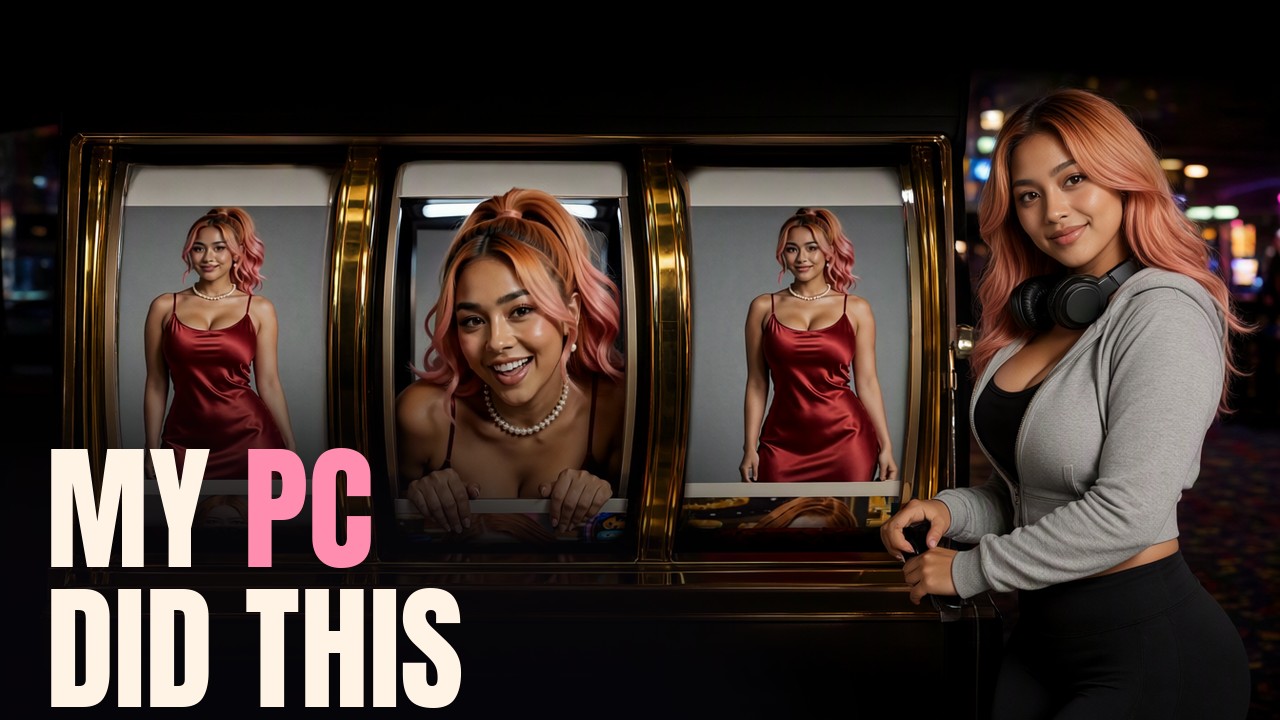
This is how to make an AI music video at home, on one graphics card, in order from the song to the upload. We made six of them in a month. Getting them right took thirty-four cuts, and these ten steps are what came out of the mistakes. Almost every step below starts with something that failed.
The video shows every failed clip next to its fix. This page is the written version, with the settings and the numbers.
Working with an AI agent? This page and the kit are plain text on purpose. Give this link to the agent you already use (Claude, ChatGPT, Gemini, or a local model), tell it your graphics card and your song, and ask it to take you through step one.
The free kit has the paperwork we use: download it here. The workflow, the cut rules and their checklist, the reviewer brief, the blank shot table, the prompt checklists, the planning forms and the short script that draws readable pages.
Every number here is ours, measured on one RTX 5090 (32 GB), unless it says otherwise. We have not tested smaller cards. Every shot of me was generated with MiniMax H3, by MiniMax, used under the MiniMax H3 licence; the swaps use the H3 Character Swap LoRA v1.5 by Akatz Labs. Nothing generated by H3 was used to train anything.
What you need
| part | what we used | where it runs |
|---|---|---|
| the song | Suno (our referral link). The one part not made at home | the cloud |
| the program that runs the models | ComfyUI, free | your PC |
| still pictures | Krea 2 with our character LoRA, and Qwen-Image 2.1 | one RTX 5090 |
| video | MiniMax H3 with its 8-step speed add-on. It takes reference pictures, a prompt and audio, and moves her mouth to the singing | same |
| putting her into real footage | H3 Character Swap LoRA v1.5 | same |
| word times | Whisper large-v3-turbo, free | same |
| mixing stems, measuring tempo | ffmpeg and librosa, free | the CPU |
| readable pages, captions, the cut | Python, or any video editor | the CPU |
Our settings for every take: 8 steps with the 8-step LoRA, sampler er_sde with the normal scheduler, shift 12 for video and 3 for audio, 1344 x 768 at 24 frames a second, takes of about 8 seconds. The video model is not trained on me. It copies me from two pictures.
On our card an eight-second take renders in about a minute and a half, and a four-minute video takes about seven hours of rendering. The video model used nearly all 32 GB of the card’s memory.
About the MiniMax H3 licence. It is withheld by default in the US, the EU, the UK and Korea. There is an application route. We applied and were granted. Read the licence where you live.
Step 1. Take the song apart
The failure. On the last line of our sixth video I mouthed a lot and none of it meant anything. The producer’s note: “She is just mouthing a lot. I don’t know what she’s synced to.”
The rule. The piece of audio you hand to the video model decides what her mouth does. We call it the guide audio.
Do this.
- Download the stems from Suno: lead vocal, backing vocals, drums, the rest.
- Run Whisper large-v3-turbo on the lead vocal alone. That gives you the second every word is sung.
- Use those times to mark where each section starts.
- Build the guide audio. For a normal singing line, mix every stem except the backing vocals.
- Measure the tempo before you plan. The beat tracker in librosa once told us 143.5 on a song that is really 140, and a whole render drifted off the music.
Step 2. Plan two worlds
The failure. Three shots in a row of me at the same desk in the same cardigan, singing in one and silent in the next. The producer’s note: “Jumping between lip-synced and acted in the same outfit/setting is perceptively as jarring as it gets.”
The rule. Every cut has to change the subject. So the video lives in two worlds: one where she sings, and one where she never does.
Do this. Write what the song means in your own words, ask the three questions that would change your plan, and get one outside opinion (the forms are in the kit). Then make a shot table with one row per shot, in two threads:
- Performance. One location, one outfit, all the lip-sync.
- Story. A different location, a different outfit, lips closed the whole time.
- Inserts. Shots with nobody in them: a page, a screen, an empty room.
Read the table from top to bottom. Wherever two neighbours are both her in the same place, move one. In our finished Version Twenty-Nine video, 28 of 69 shots do not show her face at all. The full cut rules are in How to Cut an AI Music Video That Doesn’t Jump.
Step 3. Build the still pictures
The failure. We made one tidy picture of me already standing in the set, and the video model animated a flat cutout. The producer’s note: “They look like basic Photoshop of the exact outfit still over the exact setting still…”
The rule. Give the video model three separate pictures: her outfit, a close crop of her face, and the empty room. Never paste her into the room yourself. The model then places her in the space, lights her to match and gives her a shadow.
One more picture is the first frame, the exact still a take starts moving from. In Roll Again my hand and a slot-machine lever both came out as nubs. A better prompt did not fix it. Putting my hand on the lever in the first frame, with Qwen-Image as an editor, did. Whatever is in the first frame will happen in the shot.
Two details. Our own earlier guide for Tags Still On tells you to fit her into the set. We retired that advice the same night. And size matters: in our frames her face needs to be about 130 pixels tall for the model to draw it cleanly, so a shot where the viewer reads her expression starts from a close-up picture of the room.
Do this. Make the outfit picture, full body on a plain backdrop. Crop her head out of that same picture for the face reference. Generate the room empty. If she touches a prop, edit her hand onto it in the first frame before you render.
Step 4. Test the risky shot first
The failure. A high five, asked for in one text prompt, failed three times out of three. The producer’s note on one of them: “A statue with only her hand moving.”
The rule. Test the shot that could sink your plan, on a few seeds, before the full render.
What worked for the high five: three still pictures (the approach, the palm contact, the moment after), with the contact picture pinned to the middle of the clip so the model moves between them.
On the same unpublished project we tried to make the whole video look like one unbroken camera shot by chaining renders. Every time you start a shot from the last frame of the one before, the picture gets a little worse. Do not chain what you can cut between.
Do this. List the two or three shots that could ruin the video: two people touching, a dance, fast lip-sync. Render each on three seeds now. If all three come back broken, change the plan instead of rolling more seeds.
Step 5. Write the prompt
One bad take out of three is an unlucky seed. Three out of three is a broken prompt. Four traps, each from a failed take:
- Naming a thing summons it. My prompt said there was an empty chair beside her. There was no chair in the first frame. The model built one and sat a second me in it. Never name anything that is not already in the first frame, not even to forbid it.
- Camera moves redraw the room. We asked for a slow push in, and a plant pot slid along the windowsill. The producer’s note: “…like the room was haunted.” Lock the camera in the prompt and add pushes later by cropping in your editor. A few simple moves did hold for us; locked is the safe default.
- Comparisons are read literally. “One man, faint, like a reflection in a window” gave us three men. Say plainly what is in the room and how many.
- Hands on small objects are the tells. Every giveaway we logged on one video came from a hand working a small object. Show the object already opened or placed, and let her act with her face.
Do this. Check every prompt against the prompt checklist in the kit before you render.
Step 6. Lip-sync
The failure. In Roll Again she sings one slow line and the rest is quiet acting, but her mouth kept going. Our acting cue quoted a word from the song, and the model mouthed along to it. The producer’s note: “She does significant extra mouthing there…”
The rule. Never put a word of the lyric into the prompt of a shot.
The second failure is the quiet line: when the voice drops, the model keeps her mouth shut until the next loud syllable. More seeds did not fix it. Changing the guide audio did. The recipes we ended up with:
| the line | the guide audio |
|---|---|
| normal singing | every stem except the backing vocals |
| a long held note | the lead vocal alone |
| a dance shot | the vocal plus the drums |
| a quiet line carried by the backing singers | lead and backing vocals, for that line only. Or make it an acted shot |
Plenty of tutorials say to lip-sync from the isolated vocal. On our takes that worked for long sung notes and nothing else. One card, one model, our results.
Do this. Keep each take to about eight seconds and save lip-sync for the slower lines. Write “lips closed” into every acted shot. Search your prompts for words from the lyric and take them out. More in the rap lip-sync guide.
Step 7. Real stock footage
A home GPU cannot film a busy kitchen, a race or a crowd. Somebody on Pexels already did, and the clips are free to use.
The rule. Replace exactly one person in the clip and tell the model everything else stays as filmed. Our prompt identifies that one person by where she stands and what she wears.
- Faces need pixels. In a wide drone shot the climber’s face was 23 pixels tall and mine came back as a smudge. The producer’s note: “…her face didn’t map…” We cropped the stock closer first, then swapped. For a clean swap a face needs about 35 pixels. Our number, on our card.
- Describe the light, not the time. Name “night” and the model may repaint the walls. Describe the light and a midday clip comes back with the sun low behind her.
- A crowd is one swap at a time. Six people in one shot started as six plain stand-ins, one swap per pass, each finished pass fed into the next. That method came from the producer.
Do this. Pick the clip for its action and how close the camera is. Pick someone who is not talking, because a swap copies a moving mouth. Describe everyone in the clip and replace only the one you name. Render two seeds; check the face, then hands and feet. Write down the creator’s name.
More in putting an AI character into stock footage, telling a story with it and the group shot.
Step 8. Readable text
The failure. Pages of scribble. The producer’s note: “…instead of scribbles you can have the song lyrics or past scripts.” On one video, five of our first seven re-renders were for broken AI text.
The rule. Anything the viewer has to read is drawn onto the picture by you, never generated.
Do this. Generate the still with the page blank. Draw the words with the script in the kit, 07_draw_pages.py: you give it the still, the four corners of the page and your lines, and it bends the writing onto the page and keeps the paper’s own light. If the model wrote on the page anyway, --wipe lifts that off first. Then animate the finished picture.
Step 9. The cut
Check your cut on a phone. That is where most people will watch it.
The failure. We judged each take by itself and each looked fine. A fresh reviewer watching the whole cut found a giant rising out of the snow, and an ending where I ran back down the mountain I had just climbed. The producer’s note that started this habit: “…use second eyes on your work both on individual shots and collectively…”
The rule. Hand every full cut to a fresh reviewer who sees only the frames and your written rules. Repeat until a new one finds nothing wrong. On our sixth video that took five reviewers, and the fifth one’s cut was the first the producer saw.
Do this.
- Lay the singing thread onto the song first. Cover the rest with story shots and inserts.
- Cut at the end of a musical phrase, not in the middle of a sung line.
- Add slow pushes by cropping in the editor. Trim any jump the video model invented inside a take.
- Watch for shots that hold with nothing moving. A frozen frame kills the momentum of a song.
- Give the cut to a friend who has never seen the project, or upload the frames to a fresh AI chat with your cut rules (we use a fresh Claude chat each time; the brief is in the kit). Fix what they find, export again, and use a new reviewer with no memory of the last one.
Step 10. Notes
Nothing goes up yet. The cut goes to one phone, with the lyrics burned onto the picture so every syllable can be checked, and a reference board with one numbered still per shot.
The rule. Notes come back by shot number, and each note changes one thing, so you do not break what already works. A note that says “try again” means the same settings and prompt on a new seed. Any other note changes only the detail it names. Put the old shot and the new shot side by side to prove the fix.
On our sixth video five notes came back. The message that came with them: “This was perhaps my favorite initial QC of all time. Actually brought a tear to my eye… We’ve come a long way.”
Publish
One of our videos never got clean, even after fifteen cuts. We published it with small labels in the corner that name each flaw as it happens.
- Upload clean lyric captions.
- Pick one clear thumbnail.
- Turn on the YouTube AI label. Say it was made with AI, credit the models, and credit every stock creator.
- Before you close the project folder, write down what failed, and read it before video two.
Your first cut is going to look bad. Ours still does, every time. Make the video anyway.
The six videos
Credits
Songs written by the producer and made in Suno. Stock footage from Pexels: Pressmaster, Yaroslav Shuraev, Mikhail Nilov, Hector Buelna M, Florian Delée, Ezmari Nabizadeh, Anastasia Shuraeva, Kurtis Dunn-monk, Mateo D, Tường Chopper, Pressmaster, Alex Moliski, Alex Moliski, Edmond Dantès, Matthias Groeneveld, Allan González, KoolShooters, KoolShooters, KoolShooters, KoolShooters, cottonbro studio, Ketut Subiyanto, Gustavo Fring, Kampus Production, Yan Krukau, cottonbro studio, cottonbro studio, KATRIN BOLOVTSOVA, KATRIN BOLOVTSOVA, Kampus Production, Kampus Production, Thirdman, ArtHouse Studio, cottonbro studio, cottonbro studio, SHVETS production, Gustavo Fring, Ivan S, Alex Green, Tima Miroshnichenko, https://kaboompics.com/, https://kaboompics.com/, Mikhail Nilov, Werner Pfennig, Werner Pfennig, Antoni Shkraba, Ron Lach, Alexas Fotos, RDNE Stock project, MART PRODUCTION, Gustavo Fring, cottonbro studio, cottonbro studio, Ron Lach, Charles Parker, Kampus Production, Kampus Production, Kampus Production, Julia M Cameron, Jelly Marketing, Monstera Production, Monstera Production, cottonbro studio. My voice is ElevenLabs. The script for the video was rewritten for newcomers by Gemini and edited by us.
Older guides
Our July guide, Make a Full AI Music Video on One GPU, is the older method with a different video model. This page replaces it. For music videos drawn by code instead of a video model, see the Claude Code music video guide.