
Update, 30 September 2026. Aillex’s own setup has changed since this map was written. Her live face is now SoulX-FlashHead Pro with a tiny decoder, about 8 GB on the RTX 5090; MuseTalk was retired as her live face because it saves a .png of every frame it renders and keeps them, which filled the disk. The brain behind the live face is Qwen 3.5 9B on a second PC with two 2016 graphics cards, and her ears are still Whisper on the 5090. On the live face her voice comes from ElevenLabs temporarily, while it is fast and effectively free, because the local voice was too slow sharing the graphics card with her face. Her Discord companion still speaks with the local voice. Every stage below still has a local option. How we got there.
What if your AI assistant had a face, a voice, and a personality, running on hardware you own?
That’s Aillex. You talk to a web page; a few seconds later she answers out loud with a live talking face. You can build every stage below on your own PC with no cloud at all. Ours runs everything at home except the voice on the live face, which comes from ElevenLabs for now.
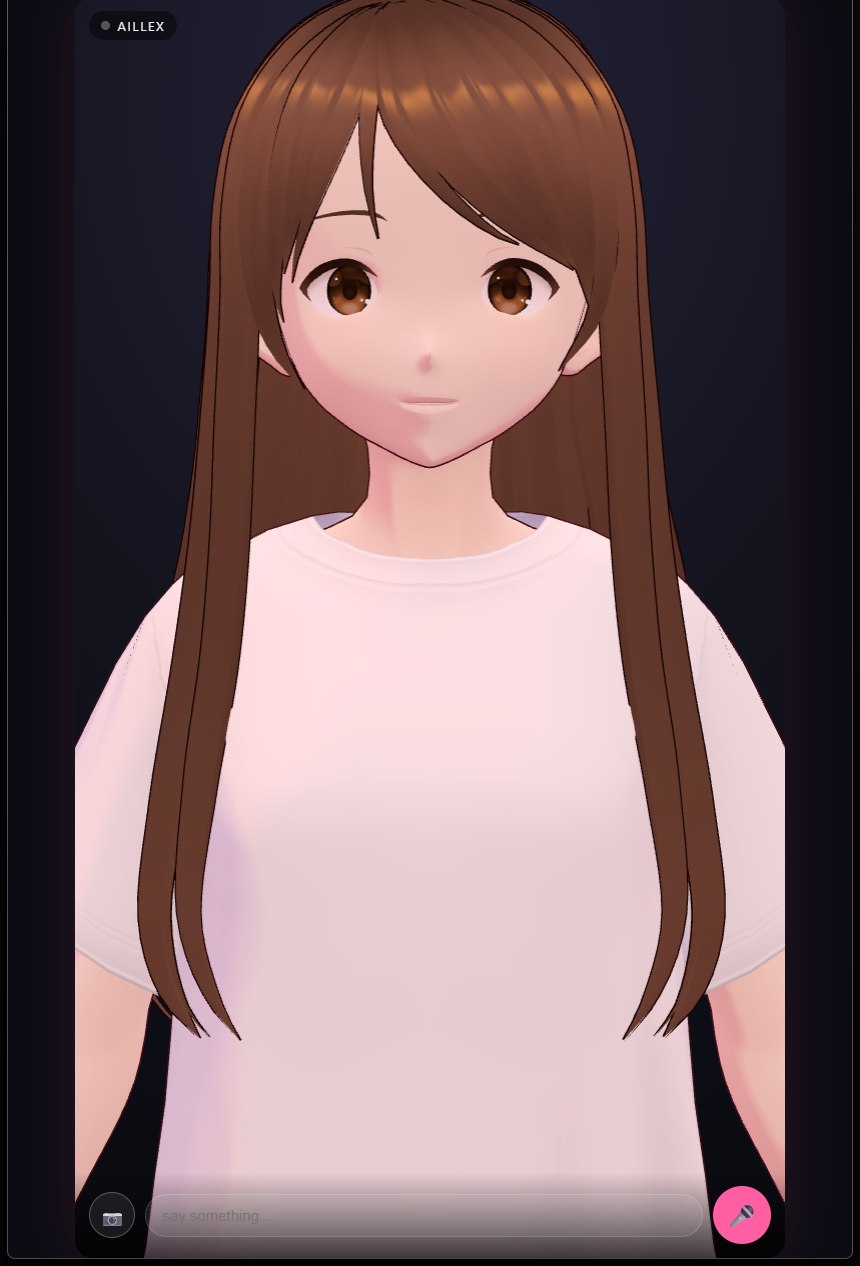 Our earlier face page: a VRM avatar in a video-call frame. Swap in any VRM you like.
This guide is the map of the whole system. Each stage has (or will have) its own hands-on guide.
The loop
🎙 your voice (browser mic)
   → Speech-to-text        (faster-whisper, local GPU)
   → Brain                 (local LLM via Ollama; ours: Qwen 3.5 9B on a second PC + editable personality/reference notes)
   → Voice                 (local clone on CPU or GPU; ours on the live face: ElevenLabs, for now)
   → Face                  (live video face, lip-sync, or a 3D avatar; ours: SoulX-FlashHead Pro)
   → 🖥 talking character in your browser
Five stages, five open tools. The magic isn’t any single model: it’s the plumbing that keeps them warm, orchestrated, and co-resident on one GPU.
What you need
- A modern NVIDIA GPU. We build on an RTX 5090 (32 GB): our exact machine, and what actually matters, here, but the architecture scales down: the biggest VRAM cost is the LLM brain, and that’s a dial (a 7B to 14B model runs on far less).
- Windows 11 + WSL2 or Linux. Our stack straddles both, inference services in WSL, orchestration on Windows.
- Patience for dependency hell. We’ve documented every trap we hit so you don’t have to hit them.
The five stages
1. Ears, faster-whisper
Local speech-to-text is a solved problem: faster-whisper transcribes 20 seconds of speech in ~0.16s on modern GPUs, handles kids’ voices and accents, and needs ~1.5 GB VRAM.
2. Brain, a local LLM with memory
The brain behind Aillex’s live face is Qwen 3.5 9B via Ollama, on a second PC with two 2016 graphics cards, which leaves the RTX 5090 for her face and ears. On a single 32 GB card, a 26B multimodal model with an agent layer on top also works well; that is how she started. Keeping the model resident (keep_alive=-1) and the session warm is the difference between 8-second and sub-1-second brain latency. Bonus: a multimodal brain means your assistant can also see your screen at zero extra VRAM. → guide: Run a 26B AI Brain Locally
3. Voice, a local clone or the cloud
We designed Aillex’s voice once in ElevenLabs. Our videos use it from ElevenLabs directly, and our apps speak through a local clone of it. The new live face is the exception: beside a live face on the same graphics card, the local voice fell behind, with six to ten seconds of silence between her sentences. So on the live face her voice is ElevenLabs v4 Turbo, in the cloud, temporarily, while it is fast and effectively free. Her Discord companion doesn’t share a card with a face, so it still speaks with the local clone. For zero cloud, a small local clone runs on the CPU at zero VRAM; expect longer pauses beside a live face. → guide: Clone a Voice Locally
4. Face, from video loops to a real 3D character
We’ve built this three ways, and all three are valid:
- Live video face (what she uses now): SoulX-FlashHead Pro animates one photo in real time. Swapping its video decoder for the tiny TAEW2.1 took it from 15-18 to 26-36 frames a second on our RTX 5090, in about 8 GB. → the full test
- 2D path: pre-rendered character video loops + MuseTalk real-time mouth inpainting. Faster than real time on a 5090. It was her live face until its disk use retired it from that job: it saves a .png for every frame it renders and keeps them (we cleared nearly 600 GB in September). It still does the mouth in the render chain for our daily Shorts. → guide: Real-Time Lip-Sync with MuseTalk
- 3D path: a rigged, animated 3D version of your character rendered in the browser with three.js, outfit switching included. → guide: Turn One AI Image into a Rigged 3D Character
5. Stage, a web page, like a video call
The front-end is deliberately boring: one web page with a mic button and a WebSocket. The character idles, thinks, and answers, framed like a video call. Any browser on your network (or phone, via Tailscale) can join. Ours lives on the touchscreen on the side of the PC case, and on a phone over the same private network.
The honest numbers
- Latency: from your words appearing on screen to her first spoken word, a median of 3.6 seconds in our second recorded session, 4.5 in the first (before three speed fixes). The first reply after a restart takes about 6.5 seconds while the brain reloads.
- VRAM on the RTX 5090: the live face takes about 8 GB, plus Whisper for her ears. The brain lives on the second PC.
- Cost: $0/month for everything that runs at home. The cloud voice on the live face is temporary.
Why local matters
Every cloud companion app can change its pricing, its personality, or its privacy policy tomorrow. A local companion is yours: the personality is yours to define, and every part you run at home keeps its data at home. On our live face, the one exception is the voice: the text of her replies goes to ElevenLabs to be spoken, and she can’t speak there without the internet. Swap in a local voice and that goes away too.
Watch Aillex herself demo all of this on YouTube → @AskAillex, where we publish builds, fails, and upgrades as they happen.