
The companion episode: the complete beginner’s class, every click shown.
Every guide on this site assumes one belief: the best way to learn AI is to run it yourself, on your own computer, and build something that stays yours. No subscriptions, no waitlists. If you’re starting from zero, this page is your map: each step is free, each has a full guide, and each leaves you with something working.
Step 0, what you need
A reasonably modern PC. A gaming GPU (8GB+ VRAM) makes everything faster and unlocks images/video, but several steps below run on laptops and even CPUs. You do not need to know how to code, you need to be able to install a program and paste a command.
Step 1, run your first AI model tonight (30 minutes)

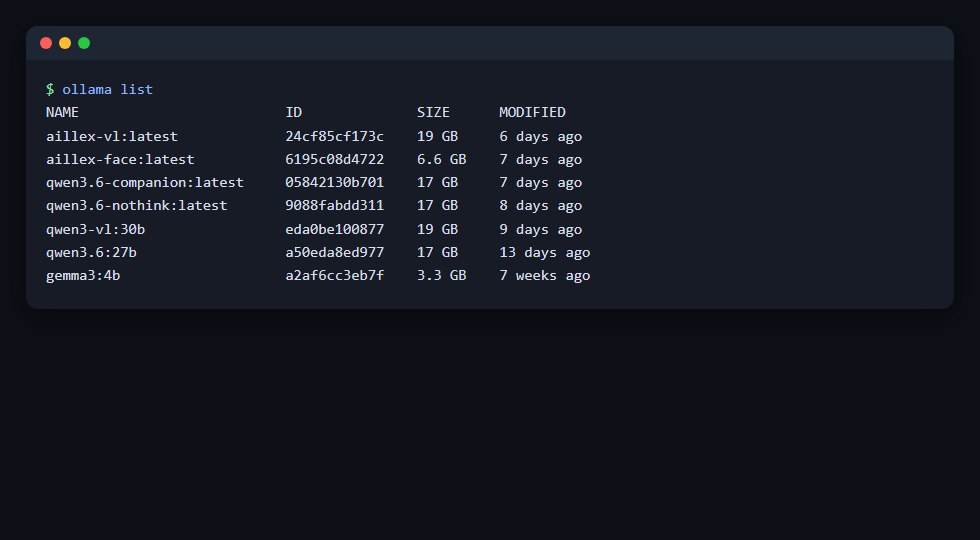 What “owning your models” literally looks like.
Install Ollama, pull a small model, and talk to it: offline, private, free. This one step teaches you more about what AI actually is than a month of videos: it’s a file on your disk that turns input into output. Full guide: run a local brain →
Step 2, understand what you just ran
Sizes (7B vs 70B), open vs closed weights, why “thinking” modes are slow, what quantization trades away. AI models, explained →
Step 3, make pictures (and meet the Engine Room)
Install ComfyUI (a desktop app now), press Run, get your first image in minutes, then learn the seven boxes behind every AI image. ComfyUI from zero →
Step 4, animate an image
Take a still picture and make it move, on your own GPU. Animate an image with AI →
Step 5: Give it a voice, eyes, and a face
Clone a voice that runs on a CPU (voice →), let your AI see your screen and camera (vision →), and lip-sync a talking face in real time (face →).
Step 6, turn it into an agent (then a team)
A brain in a harness: schedules, tools, memory, gates, that does real work unattended. Build an agent →, then give it colleagues →.
The proof it works
Everything above is the exact path that built Aillex, the AI presenter who hosts our YouTube channel, produced daily by the systems in these guides. Watch the episodes in order via Building Aillex, and bring your questions to r/aillex.
Start with Step 1. Tonight. It’s 30 minutes, and it changes how you see all of this.